Support
The Support screen is the official channel to interact with FoxPlan teams. You track every ticket (questions, incidents, enhancement requests) on a dedicated Kanban board.
Settings → Support
Access
This screen is reserved to workspace administrators and enterprise administrators: they are the ones who hold the relationship with FoxPlan support. Other members have no access, and the “Settings” entry is not offered to them in the menu.
Kanban view
Tickets are split into four columns:
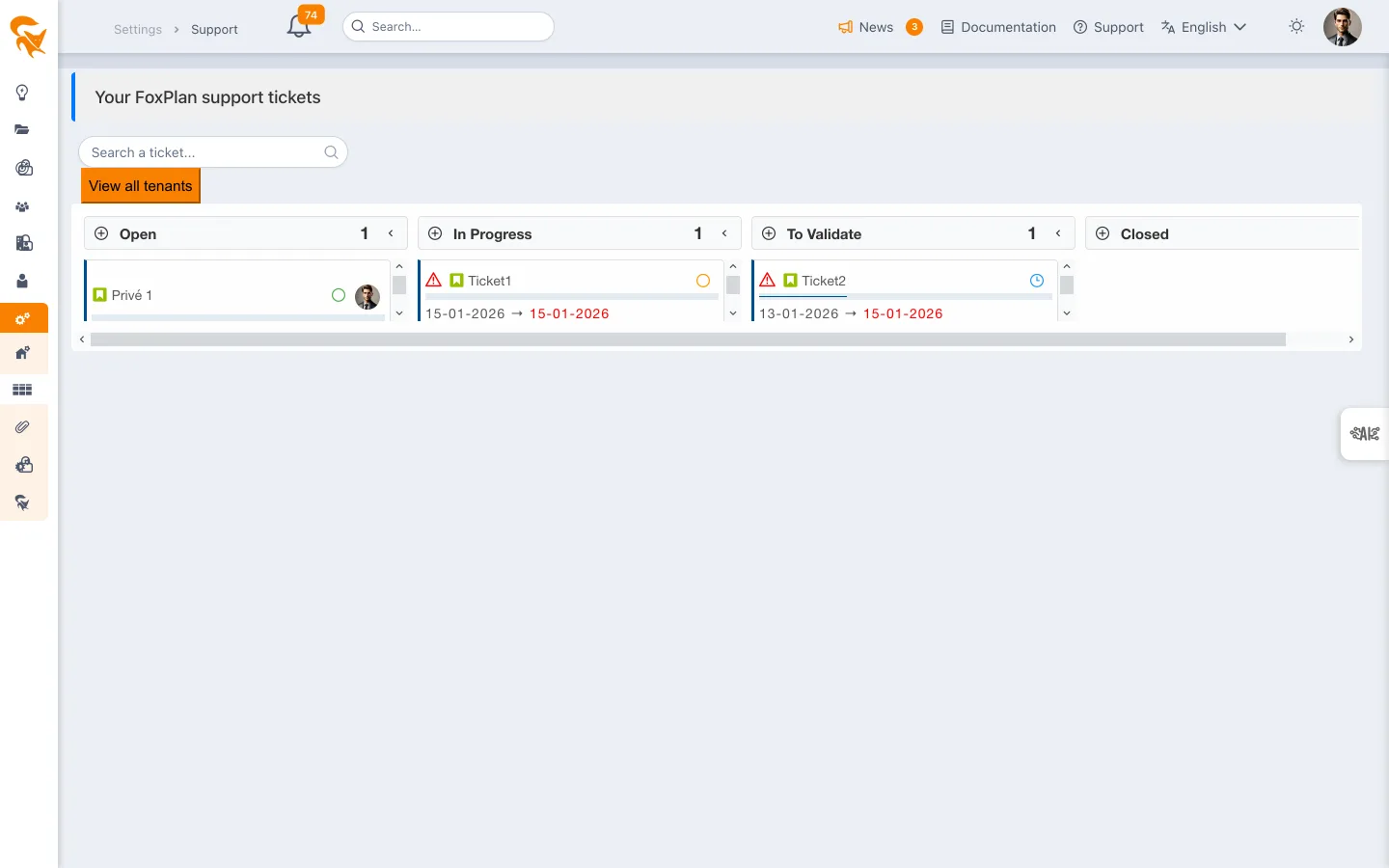
| Column | Meaning |
|---|---|
| Open | Ticket created, awaiting triage |
| In progress | Handled by the FoxPlan team |
| To validate | Solution proposed, awaiting your acceptance |
| Closed | Validated and closed |
Drag and drop a ticket to move it between columns (for instance to confirm To validate → Closed).
Create an enhancement
The Add enhancement button submits a feature request. Provide:
- Ticket name — Clear and concise title
- Description — Context, need, example use case
- Attachments — Screenshots, mockups
Search and filters
- The search bar filters instantly on title and description.
Ticket details
Click a ticket to open the edit panel: comments, attachments, status history, internal FoxPlan assignment, priority. Comments you add are notified to the support team.
- Describe the steps to reproduce a bug
- Specify the browser, the URL and the role of the impacted user
- Attach screenshots: a picture beats a long description
Direct contact
For urgent matters or confidential topics, email support@fox-plan.com.