Notifications
The enterprise Notifications tab is a monitoring screen, not a settings screen. It shows the log of the latest notifications sent to users: who received what, on which channel, about which object.
Settings → Enterprise → Notifications, right next to the email log.
This tab has no email templates, no list of events to tick, no channel configuration. Emission is configured in two other places:
| What you want to set | Where |
|---|---|
| Which events fire, and towards which webhooks (Slack, Teams, Google Chat) | The Notifications tab of the project definition, project by project |
| Whether I get a bell or an email | My user profile |
The present tab is for checking afterwards that the send actually happened.
A row here means the send was requested. To find out whether the sending platform accepted or rejected it, and why, see the email log (Settings → Enterprise → Emails).
The log
One row per notification sent, most recent on top.
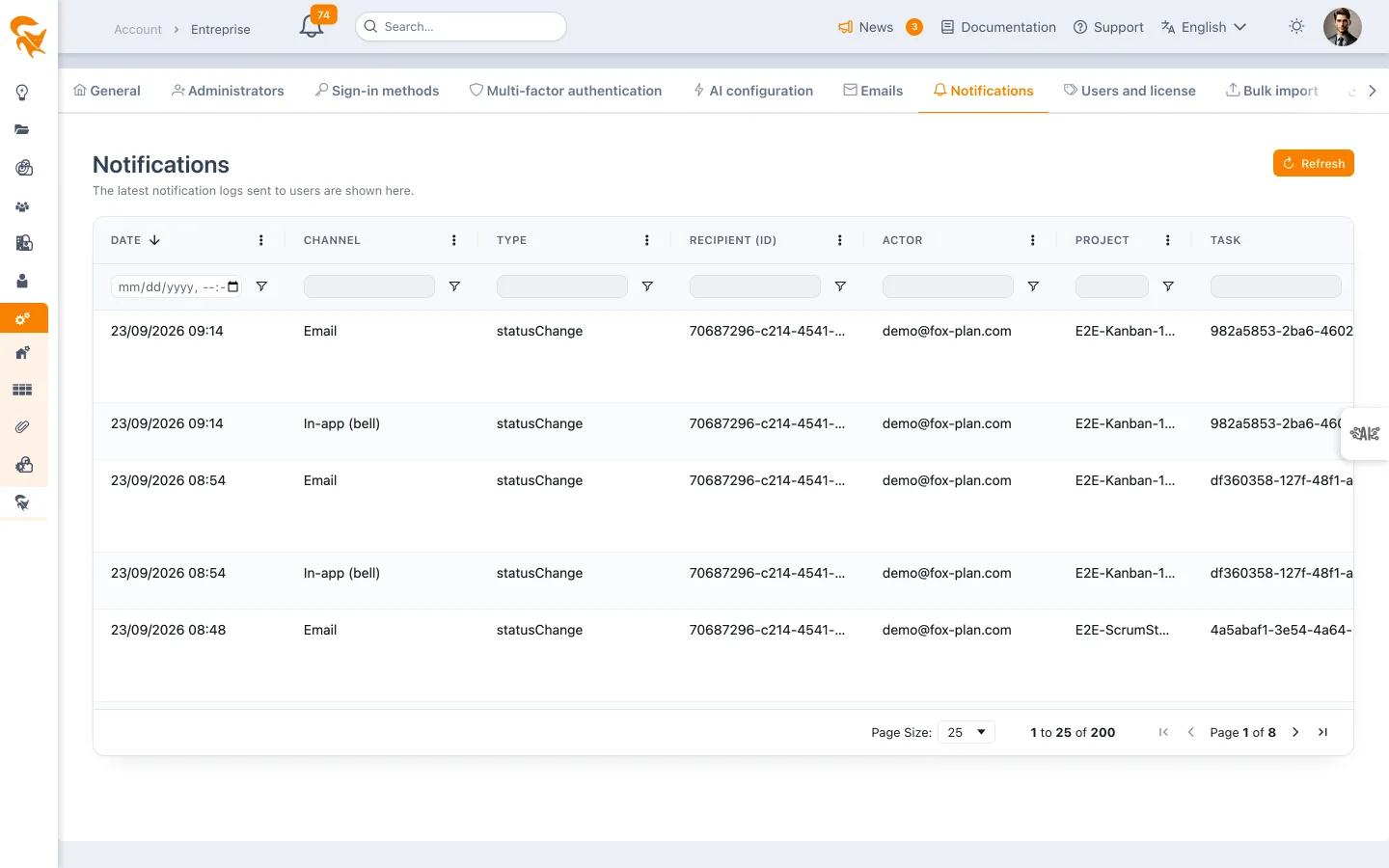
| Column | Content |
|---|---|
| Date | Timestamp of the send |
| Channel | Application (bell) or E-mail |
| Type | The nature of the notified event |
| Recipient (id) | The user who received the notification |
| Initiator | The user whose action triggered the send |
| Project | The project concerned |
| Task | The task concerned, if any |
| Summary / subject | The subject of the message |
The Refresh button reloads the list. When nothing has been emitted yet, the screen shows "No notification to display."
The server only keeps the last 200 entries per company: beyond that, the oldest are purged as new ones come in. This is a hot diagnostic tool — "did the message actually go out?" — not an archive of record.
What it is for
The typical use is doubt after the fact: a resource claims they were never told about their assignment. The log settles it in three looks:
- Does the row exist? If not, the event was not emitted — go and check the notification mode on the project's Notifications tab.
- Which channel? An "Application (bell)" row explains why no email arrived: the recipient's profile decides that.
- Which initiator? Useful when several people work on the same plan.
See also
- Project definition & members — a project's Notifications tab: events, channels and notified roles
- My user profile — choosing between bell and email
- Personal notifications — the bell, user side
- Email log — what the sending platform replied, email by email
- Connectors — outbound integrations managed at workspace level