Foxplan account
The Foxplan account screen manages the company that holds your FoxPlan subscription. It sits above the workspace: one company can host several workspaces.
Settings → Foxplan account
The screen exposes several tabs whose visibility depends on your role (company administrator, Foxplan user).
General
Company identity:
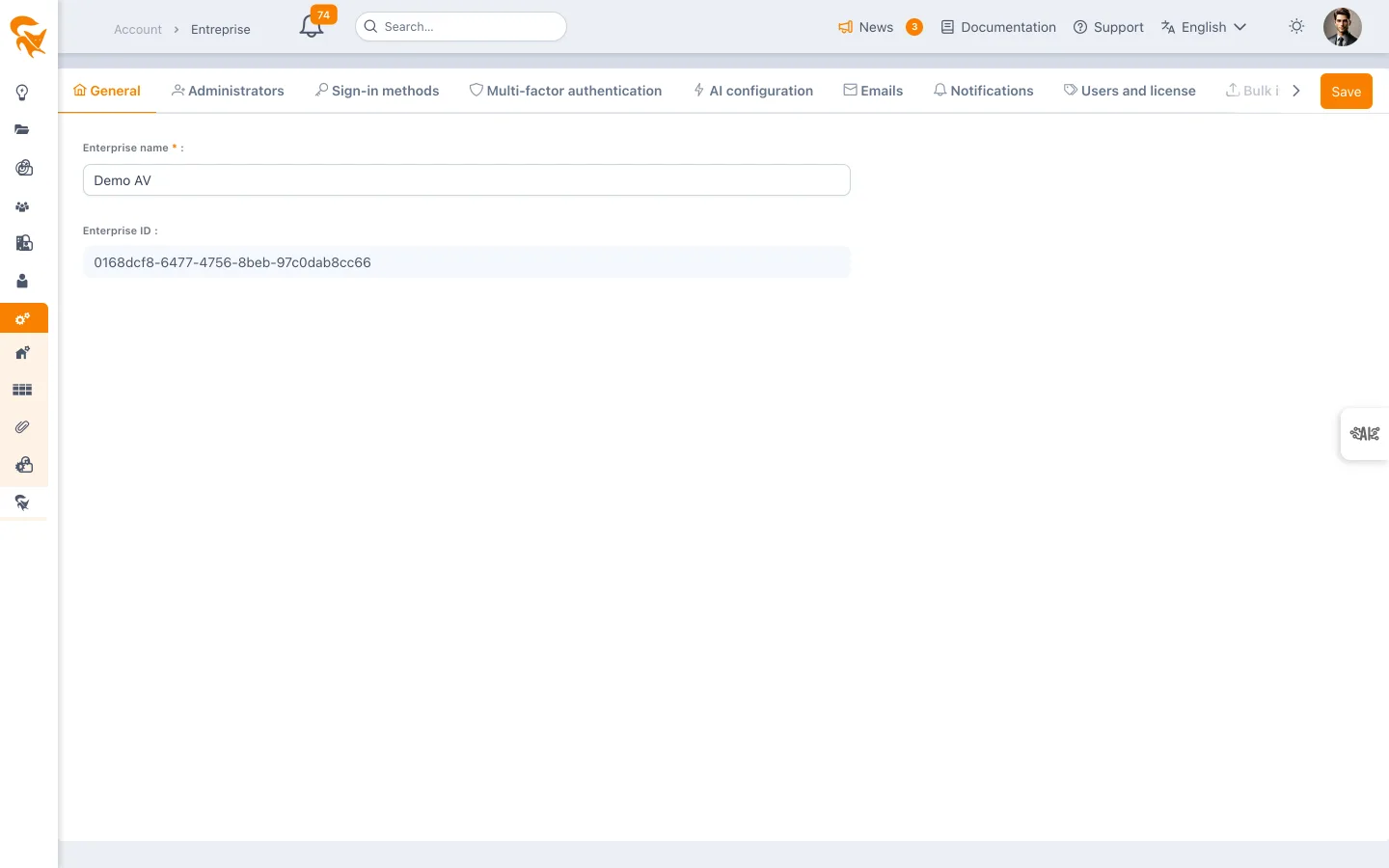
- Name (required)
- Sector — Private or public. Asked at sign-up; only the key is stored, the label is shown in each reader's language
- Description — Free text (2,000 characters) to introduce the company's business and context
- Company ID — Read-only technical key, useful when discussing with support
Billing profile — It has its own tab in the Subscription screen, with the subscription's payment method. The sector chosen above applies to it. See Subscription and upgrading to Pro.
Administrators
The list of company administrators. These users hold the highest privilege: they can modify global configuration, manage licences, configure SSO/MFA and run mass imports/exports.
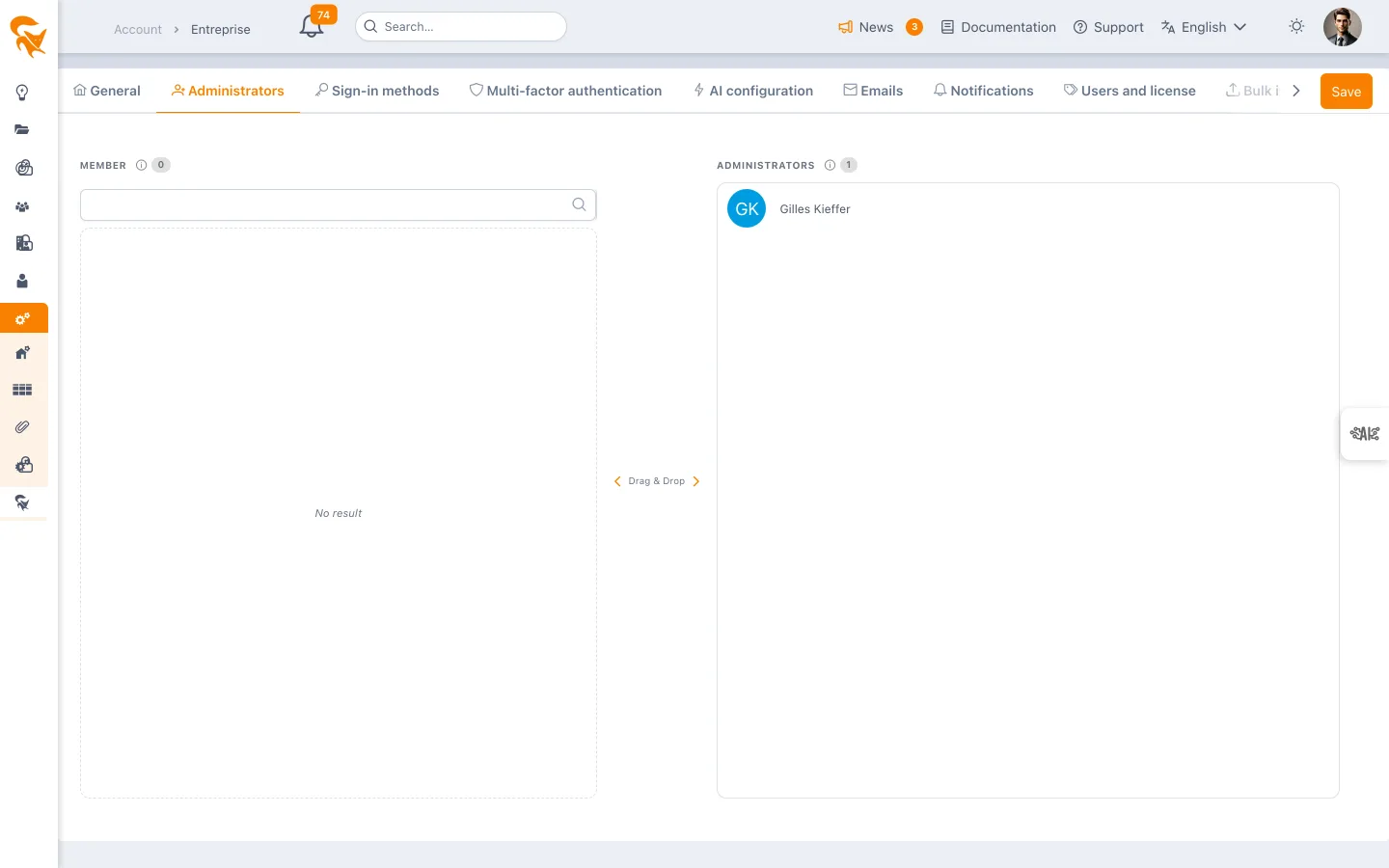
To add an administrator, the user must first be a member of a workspace of the company.
Connection methods (SSO)
Enable and configure the authentication methods accepted: login/password, SAML 2.0, OIDC. See Enterprise SSO & MFA for details.
Multi-factor authentication (MFA)
Enforce MFA on all the accounts of the company. Supported methods: TOTP (Google Authenticator, Authy), email code, FIDO2 keys.
AI engine configuration
(Foxplan users) Advanced settings of the agentic AI engine: model used, operation authorizations, quotas, request log, consumption summary. See FoxPlan Agentic AI.
User licences
Licenses and the list of users are managed in Settings → Subscription, together with the subscription modes: see Licenses and users. Former links to the Users and license tab lead there directly.
Mass import
A CSV/Excel import tool to create or update in bulk:
- Projects
- Users
- Allocations
- Custom fields
- Reference data
Imports go through a preview mode that catches errors before execution.
Mass export
Full download of the company data in an interoperable format (CSV, Excel, JSON). Useful for:
- Local backup
- Audit
- Migration
Four tabs: users, projects, tasks by project and resource allocations. The allocations export gives one row per resource, task and budget, with the entered workload (man-days or %), the computed workload and the cumulated actuals. A vacation row (no task) is a leave.
Danger zone
(Company administrators only)
Irreversible operations:
- Workspace deletion
- Full reset
- Closing the company account
Deleting the company starts with the same exit survey: the reason (required), then an alternative depending on the answer — in particular, if auto-renewal is still on, stopping it instead of deleting everything, which keeps access and data until the end of the paid period. Only the FoxPlan team reads your answers.
Actions in this zone have no rollback. FoxPlan requires a double confirmation and a 30-day grace period before actually closing a company account.
Configuration documentation and backups
The Documentation tab of Settings → Admin (reserved to FoxPlan staff) works on a workspace chosen at the top of the screen. It never changes the workspace without a confirmed preview.
Configuration documentation
Generates, in Markdown, HTML or Word, a document listing what the administrator did in the workspace compared to the standard configuration of a new one: added fields, changed or removed standard fields, layouts, rights per role, calendars and exceptions, budget versions and statuses, timesheet types, rates per resource and per profile, resource profiles and competencies, payment and billing terms, user groups (menu, feature and project template access), stage gates, appearance — then the enterprise configuration (see below). Untouched standard settings are left out; the Full inventory box includes them. Show differences on screen displays the same list without generating a file.
Export / import
- Export (JSON) produces the configuration snapshot. It is the exchange format: it can be read back into another workspace, including in another instance (configure in test, import in production).
- Import a file… reads such a snapshot into the chosen workspace, after a preview of what would be created, updated or kept.
Import is a merge without deletion: what is missing is created, what exists is updated (matched by key), what the workspace has on top is kept. Never transferred: members, users, projects, licences, API keys, Jira password, current counters of numbered fields, rates of resources absent from the target, "approved" status of a budget version, SSO and AI secrets. Project templates opened to a group are matched by name in the target workspace; stage gate groups are merged by key, and the target's own groups are kept.
Enterprise configuration
Each snapshot also carries the enterprise configuration: allowed sign-in methods and users who keep their password, two-factor authentication (methods, scope, user list), SSO configurations, AI providers, company context, knowledge base, AI skills and tool authorization, datamart schedule. It appears in the documentation under the "Enterprise — …" sections.
Because it applies to every workspace of the instance, an import or a restore only applies it when the Include the enterprise configuration box is ticked in the preview (unticked by default). Users are referred to by login and matched again in the target enterprise. Secrets never travel: SSO client secret, private key and certificate, SAML certificate and metadata, AI API key and custom headers, Snowflake token, datamart location, licence. An SSO or AI configuration missing from the target is therefore created disabled: enter its secret again in Settings → Enterprise, then enable it. A configuration that already exists keeps its secrets and its enabled state.
Backups
Back up now keeps a named and commented configuration snapshot server-side. Each backup can be restored (with the same preview as an import), downloaded as JSON or deleted. Before any restore or import, an automatic backup of the current state is taken: going back is one more restore.
Inactive instances
A FoxPlan instance (company account and its workspaces) on which no user has logged in for two years is considered abandoned. FoxPlan then sends the company and workspace administrators a warning e-mail in their own language:
- you have one month to log in again;
- without a login by the end of that period, the instance and all of its data are deleted two weeks later, on the date given in the message.
A single login, by any user of the instance, is enough to keep it: no other action is required.
Reply to the message or write to contact@fox-plan.com: deletion is never automatic, it is carried out by the FoxPlan team after verification.
Diagnostics
(On-premise installation — enterprise administrators)
The Diagnostics tab checks that the building blocks of your installation work. Nothing runs when you open the tab: click Run diagnostics.
| Integration | What is tested |
|---|---|
| MongoDB database | ping command and server version |
| Redis cache | PING on the application connection |
| Email delivery | A test email is sent to you, at your address, through the configured channel (MAIL_PROXY_TYPE); the screen shows the mail server's answer |
| File storage (S3) | Access to the FILE_S3_BUCKET bucket |
| Schedule export service | /gantt-export/health, called from your browser |
Each row shows OK, Warning, Error or Not configured, with the message returned by the service and its duration. A not configured integration is not a failure: it points to a variable missing from .env_application. The test email also appears in the Emails tab (type systemDiagnostic).
The tab only appears on an installation without online subscription (no Stripe or Qonto key): on the SaaS offer, the platform is monitored by FoxPlan.
Integration diagnostics
The Diagnostics tab of the Settings → Admin screen (FoxPlan employees only) runs the same check on the whole platform, adding Stripe (account, test or live mode, webhook secret), Qonto (organization, configured IBAN, direct debit account), HubSpot (token and foxplan_licence property), Slack webhooks (tested without posting a message), Sentry and audience measurement (configuration). Marketplace connectors are not included: they are tested in the Connectors screen.