My dashboard
The Me ▸ Dashboard screen is your personal dashboard: what is on your plate, and nothing else.
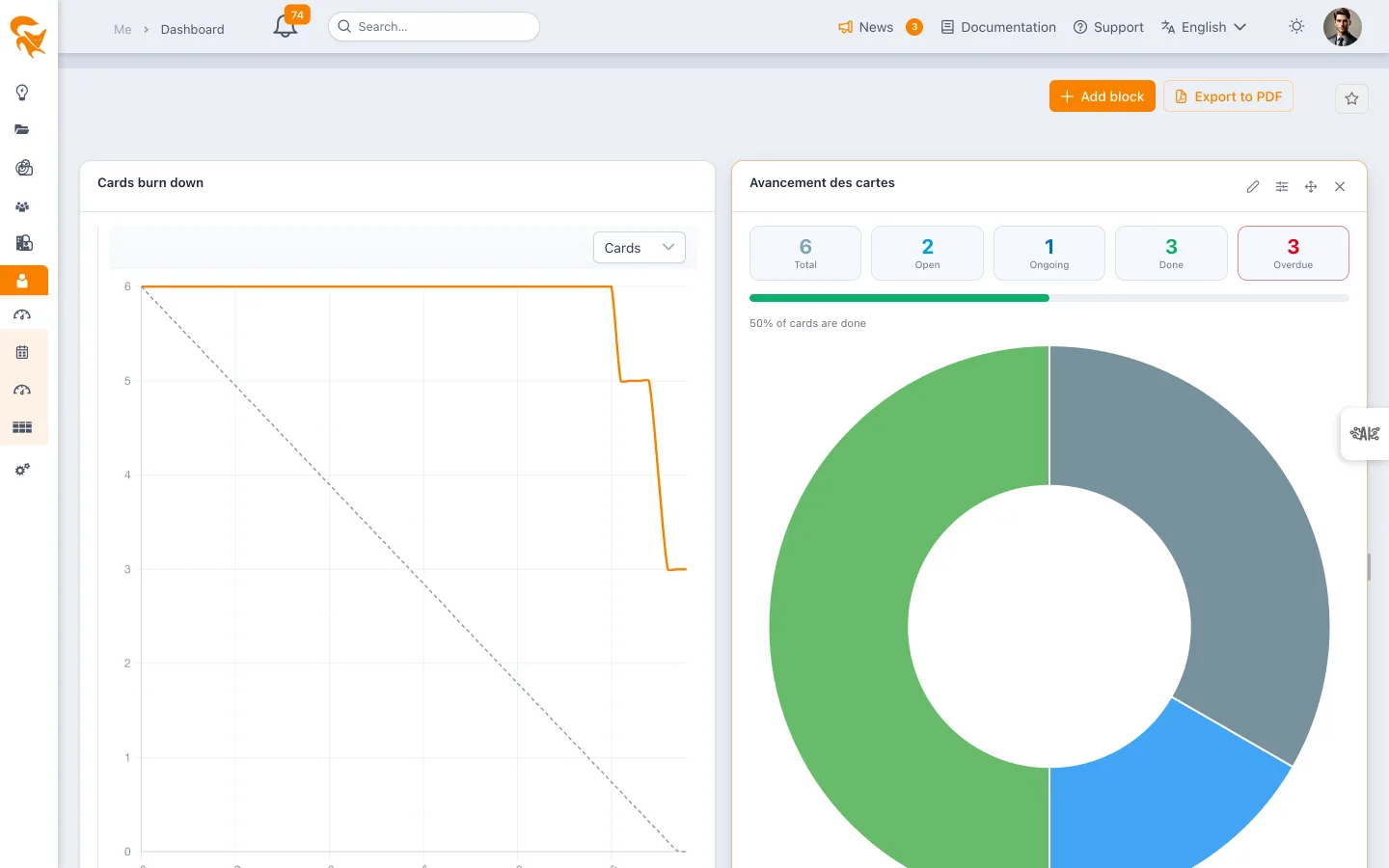
What it shows
At the top of the screen, the dashboard greets you: today's date, in your profile's format, and a greeting with your first name that follows the time of day (Good morning, Good afternoon, Good evening).
Everything here is narrowed to a single person: you.
| Block | What is attached to you |
|---|---|
| My workload | Your allocations, across every project you work on |
| My cards progress, Burn down | Cards you own, or that you are allocated to |
| My tasks, My deadlines | Tasks you are allocated to — and your cards, if you set the block to Cards or Both |
There is no portfolio selector: the scope is your account.
Why there is no budget block
This is deliberate. The budget tiles of the project and portfolio dashboards ("Approved budget", "Planned work"…) aggregate the whole displayed scope, not a person. Placed here, they would have shown the workload of the entire workspace under a "My workload" label — a wrong figure, and a hard one to spot.
The block catalogue of this screen therefore only offers blocks whose data genuinely narrows down to a person. To follow a budget, use the Project dashboard or the portfolio one.
The dashboard shipped by default
As long as you have not placed any block, your dashboard displays the shared favorite "My dashboard (default)", shipped to every workspace. As soon as you add a block, the dashboard becomes your own.
| Block | Type | Content |
|---|---|---|
| My workload | Classic block | Your workload compared to your capacity |
| My cards progress | Classic block | Open, ongoing, done, overdue |
| My deadlines | Table | Your tasks and milestones carrying a due date |
| My tasks | Table | The list of your tasks |
It is private
Unlike project, portfolio or team dashboards, this one is visible to you alone. It is stored in your user preferences, just like your kanban grouping mode or the width of your edit panels: it follows you from one device to the next, and nobody else sees it.
You can therefore put whatever you want on it without committing your team to anything.
Adding and configuring blocks
The builder is the same as everywhere else. See the Project dashboard for the details of block types, the three-step wizard and the period options.
The Cards progress and Cards burn down blocks can also be placed on this dashboard: they then count only your own cards.