Resource portfolio definition
The Definition screen opens the record of the resource portfolio (team). It has five tabs:
| Tab | Purpose |
|---|---|
| General | Portfolio identity |
| Portfolio members | Portfolio sharing (Owner, Viewer) |
| Resources | Team composition |
| Portfolio resource management | Who manages the team's resources |
| Reports | Scheduled reports on resources: workload, absences, timesheets, delays |
Reach it from the Definition / Members menu of a resource portfolio.
The Save button and the bin only appear on the General and Resources tabs. The Members and Portfolio resource management tabs are saved automatically on every add or removal.
The "General" tab
The identity tab is deliberately minimal:
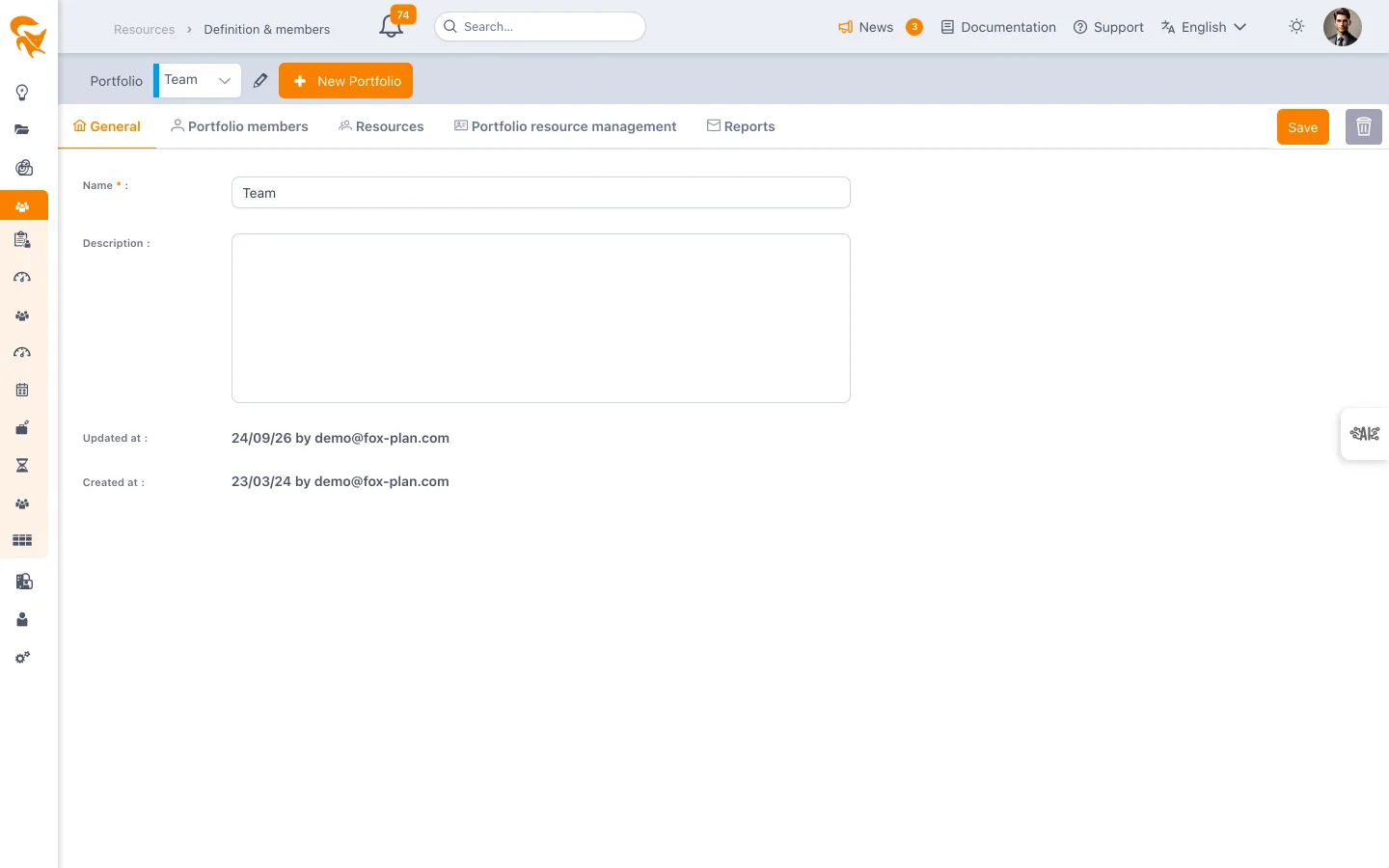
- Name (required) — The label shown in the selector and in screen titles. It is the only blocking field.
- Description — Free text, entered in a rich editor (formatting, lists, links).
- Updated at / Created at — Read-only timestamps.
The Save button confirms the changes. The bin deletes the portfolio after a confirmation asking you to retype your email and the portfolio name — deletion has no effect on the resources, which stay in the workspace.
The "Resources" tab
This is the team composition, managed by drag and drop between two lists:
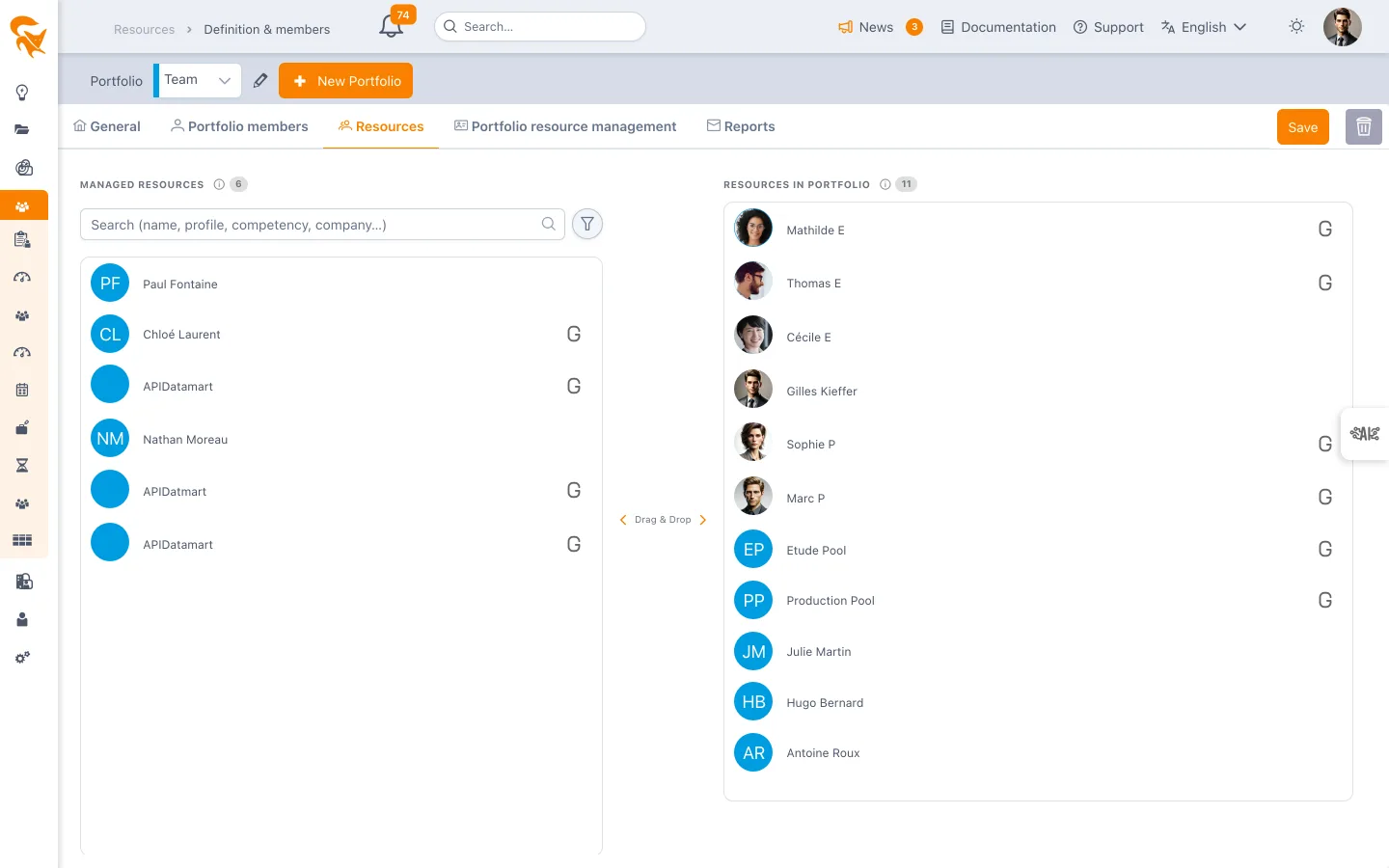
| Column | Content |
|---|---|
| Managed Resources (left) | The available resources you can attach |
| Resources in portfolio (right) | The current team composition |
- Drag a resource to the right to add it to the team, to the left to remove it.
- The search field filters the left list by name.
- The attribute filter bar narrows the list to resources carrying given field values (job, site, entity…). The chosen filters are remembered across sessions.
- A generic resource (no email — contractor, pool, machine) is flagged with a dedicated icon.
- Clicking a resource's avatar opens their user record in a dialog, without leaving the screen.
Resources are created upstream in Settings → Workspace → Member; this tab only attaches them.
Attachment is binary: a resource is in the team or it is not. The resource's capacity is set on their user record and on the workspace Calendar, not on the portfolio.
The "Portfolio resource management" tab
This tab designates the resource managers of the team, also by drag and drop:
| Column | Content |
|---|---|
| Workspace members (left) | Members who can be designated as managers |
| Resource managers (right) | The managers in place |
Dropping a member on the right designates them "Resource manager" — the role visible on the user profile record — for all the resources of the portfolio, in one gesture.
Two behaviours to know:
- Dynamic propagation — the role applies to the whole team, including resources added later.
- Symmetrical removal — removing a manager from this list takes the role away on the resources they held from this portfolio. A manager role granted elsewhere (directly on a resource record, or through another portfolio) is not affected.
The tab is saved automatically: every drop triggers a save of the portfolio.
The "Reports" tab
Schedules an email with a status of the portfolio's resources — overload and underload, upcoming absences, missing, unsubmitted or to-approve timesheets, overdue tasks and cards — at the chosen frequency and to the chosen recipients. Only the portfolio Owner can create or edit a report. See Scheduled reports.
See also
- Resource portfolio members — who can administer or view the portfolio
- Resource list — the tabular view of the team's resources
- User administration — create resources before attaching them
Give each team a short, meaningful name ("Web Front", "Data", "Ops"): that name is what appears in selectors and consolidated filters.