FoxPlan API usage guide
Overview
The FoxPlan API enables developers to integrate project management capabilities into their applications, allowing for retrieval and management of project data.
Important disclaimer
"Use of the FoxPlan API is at your own risk. Since all features are available through the API, you have the ability to crash, delete, or corrupt your data." The platform strongly recommends testing in a non-production environment first.
Accessing API documentation
Comprehensive Swagger documentation is available within FoxPlan's admin menu under Settings > Workspace > API tab, providing detailed endpoint specifications for authenticated users.
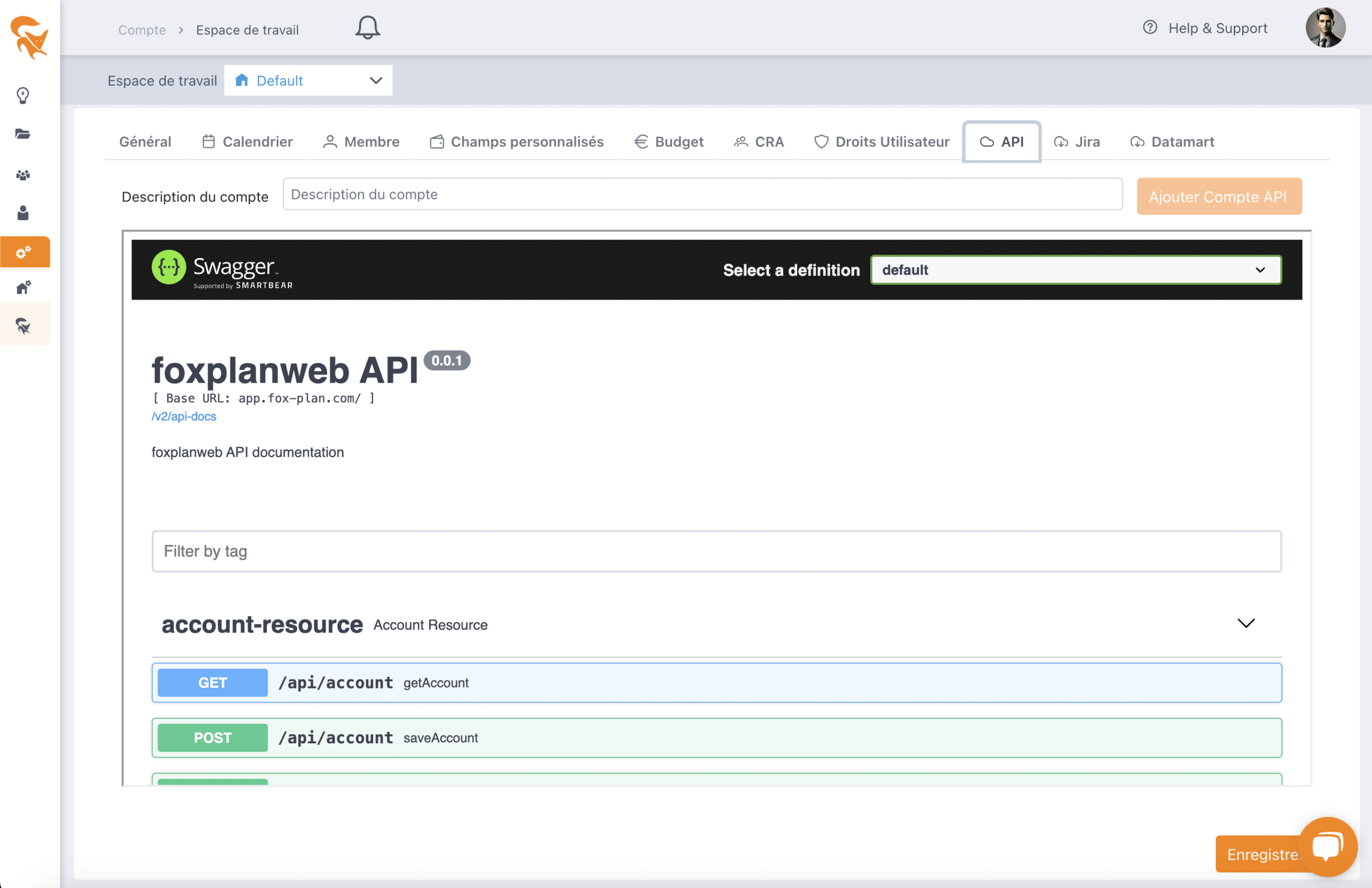
Getting started: three key steps
1. Create an API account
Users generate API credentials in the API tab by entering an account name. The system provides an Auth ID and an Auth Token, which must be combined and encoded in base64 format for authentication.

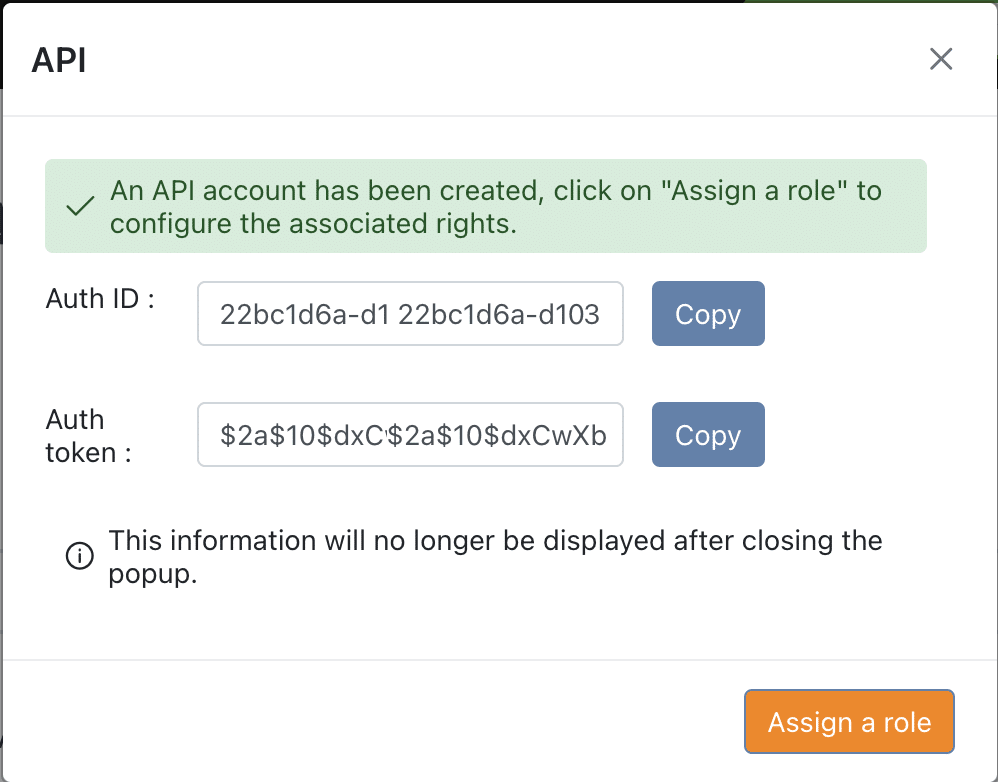
2. Grant access permissions
Assign the API account specific roles (such as Workspace Manager) to determine access levels within the application.
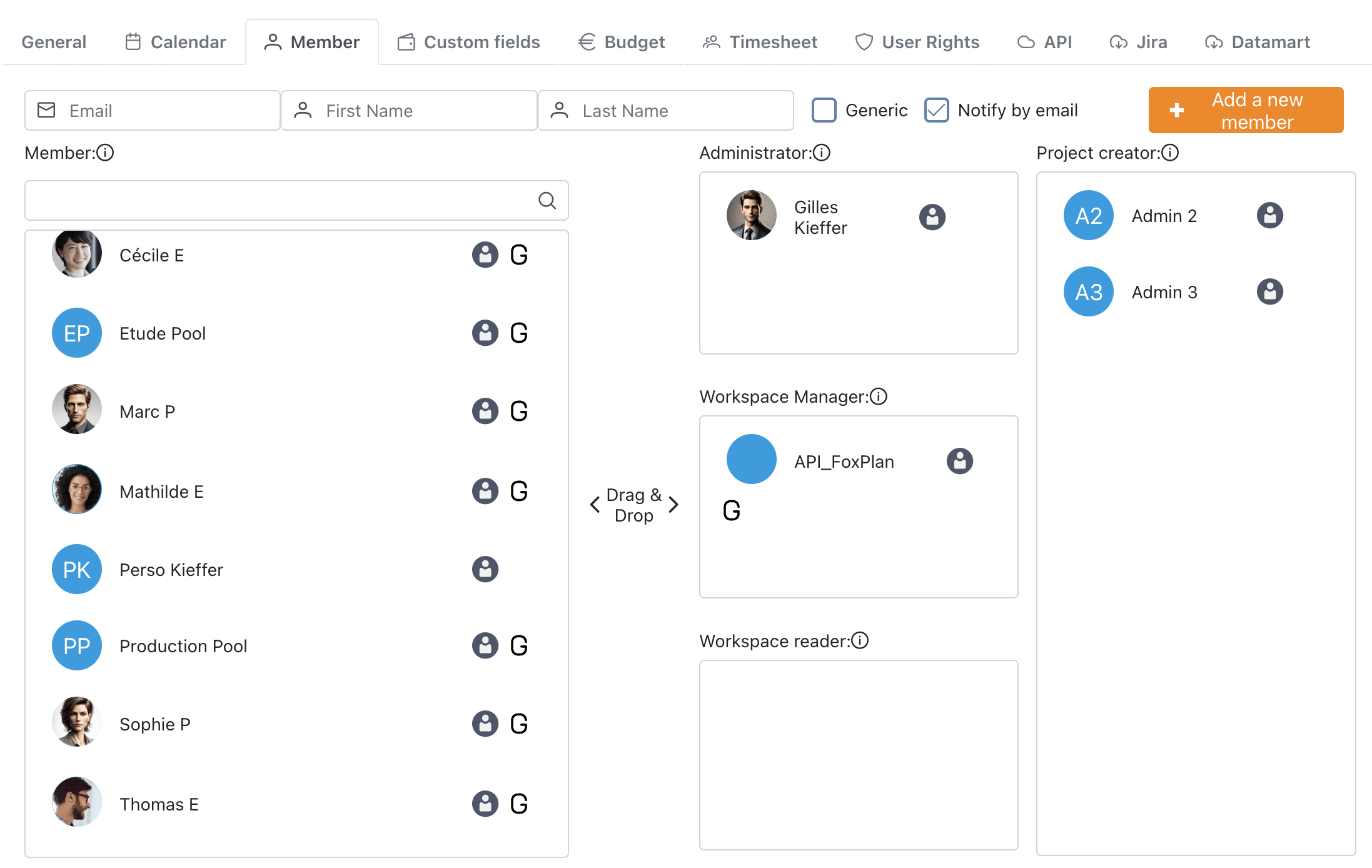
3. Obtain an access token
Make a request to https://app.fox-plan.com/api/auth using Basic authentication with your base64-encoded credentials. The response provides an id_token for subsequent API calls.
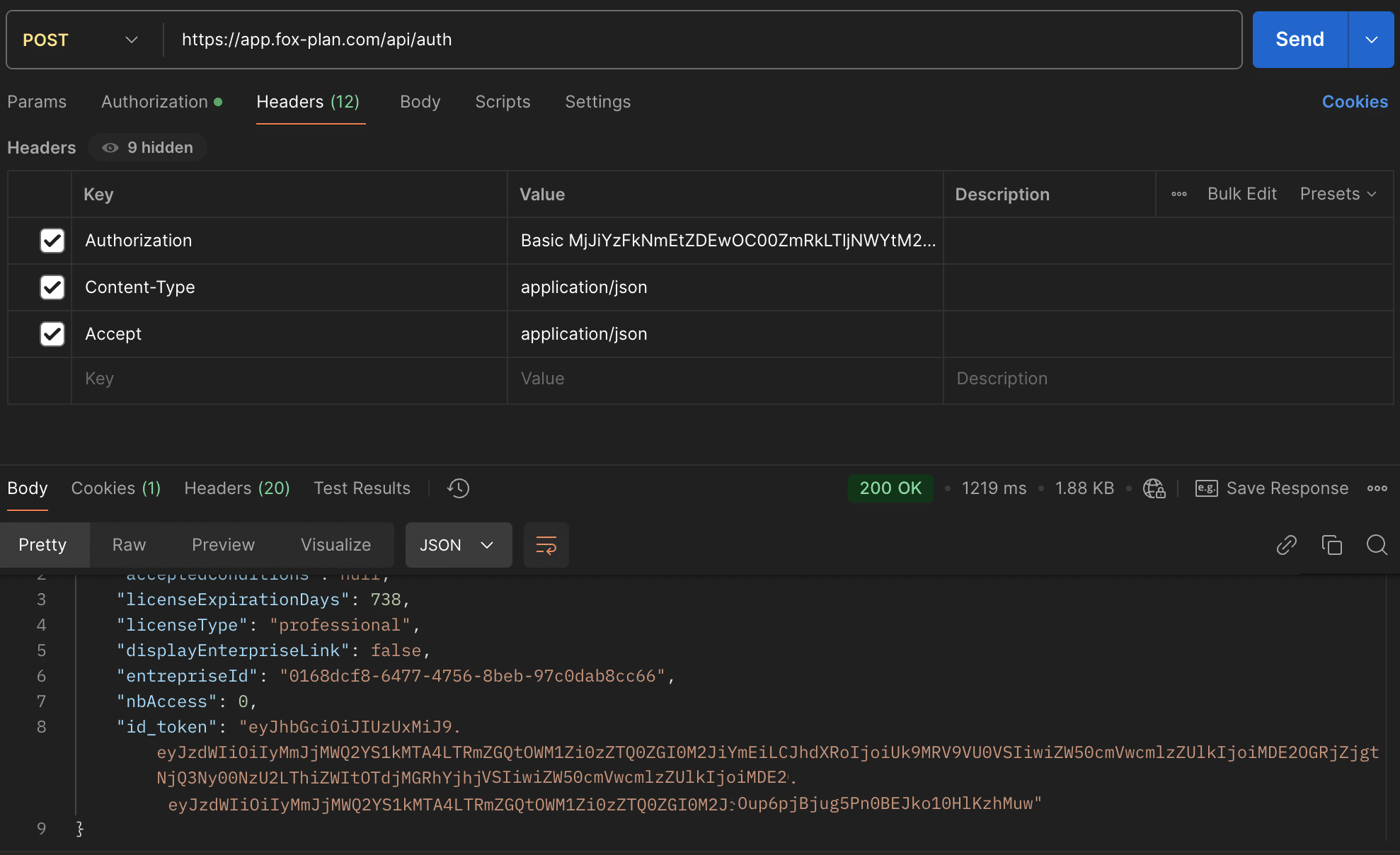
API request format
Standard headers:
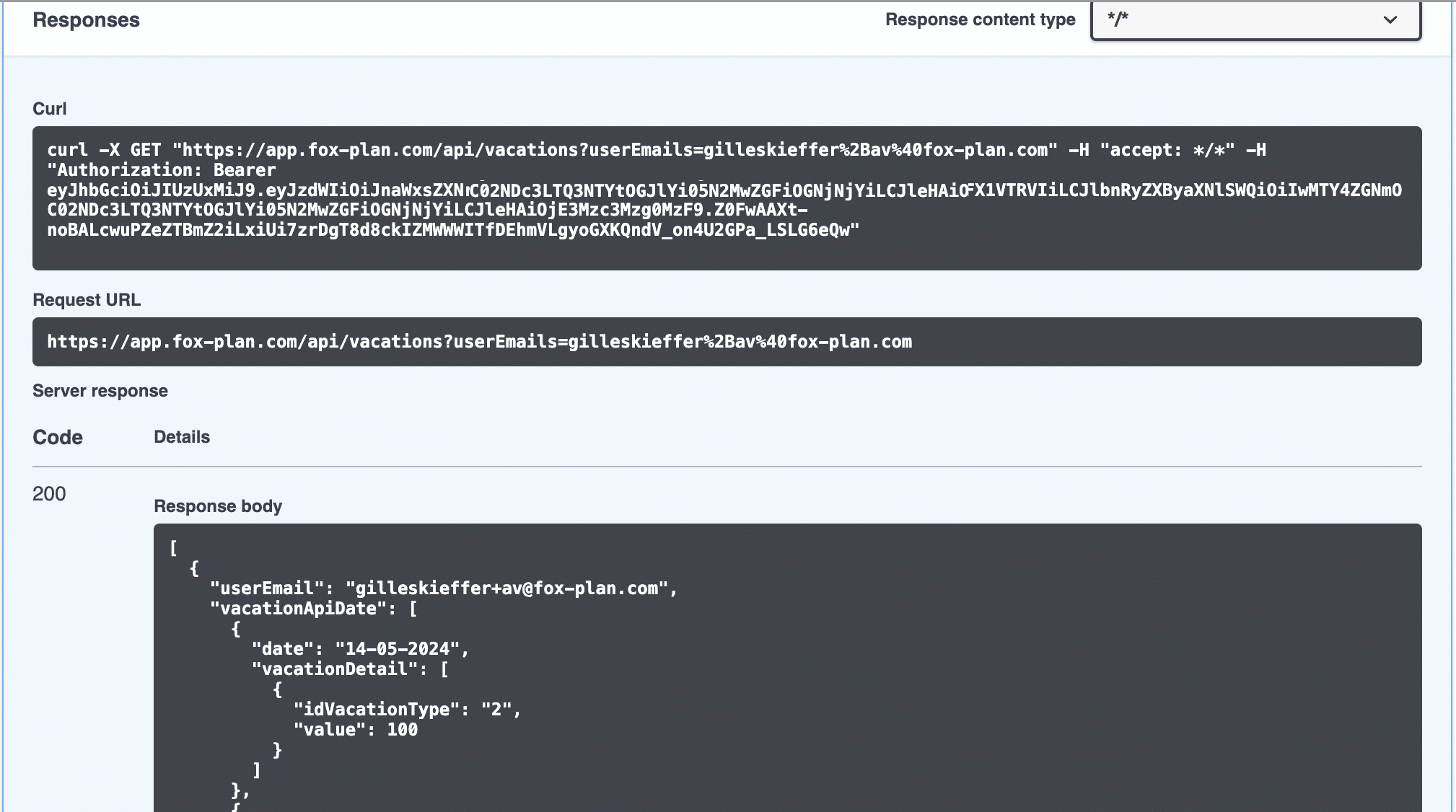
Authorization: Bearer <id_token>
Example endpoint:
GET https://app.fox-plan.com/api/vacations?email=firstname.lastname@domain.com
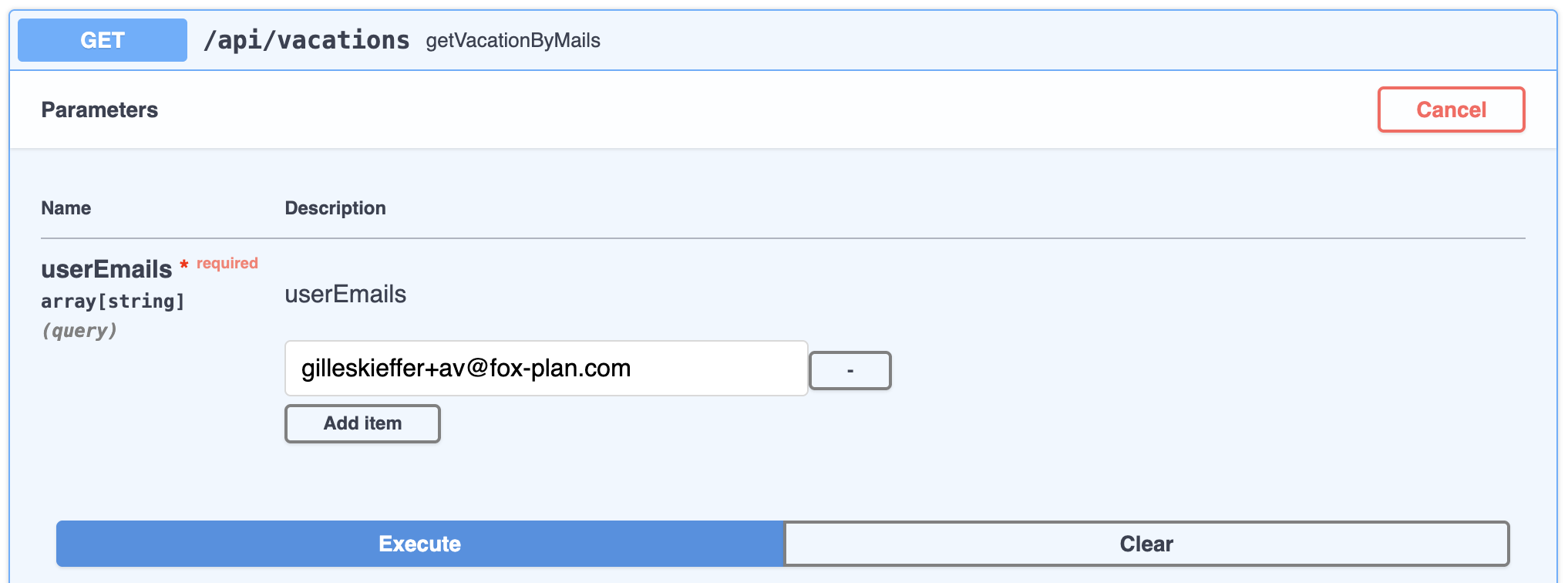
From Swagger, expand an endpoint then click Try it out to test it directly:

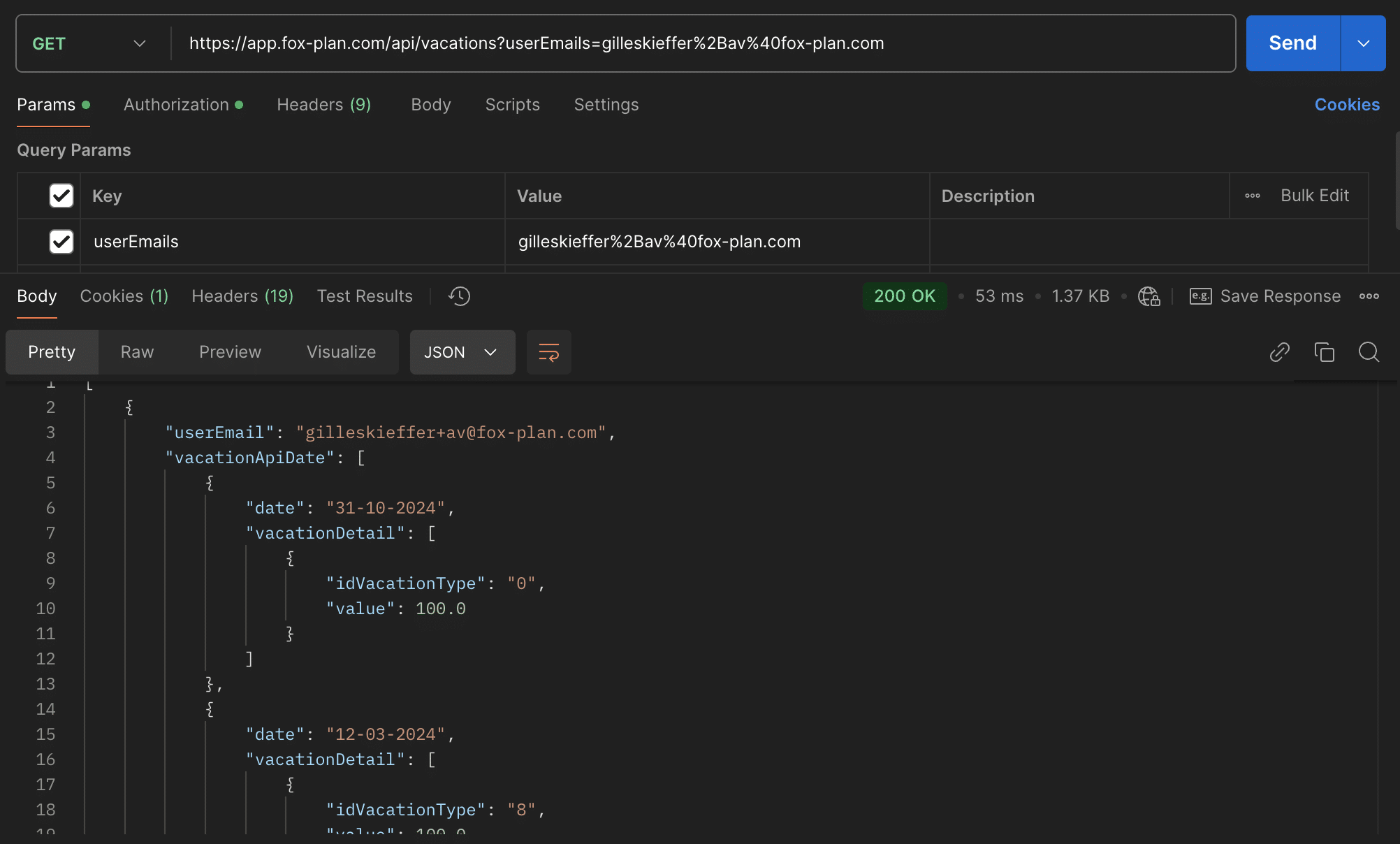
The same call can be made from a client such as Postman, passing the Bearer <id_token> in the Authorization header:
Best practices
- Respect rate limiting policies
- Implement comprehensive error handling
- Store API keys securely — never hardcode credentials
HTTP status codes
| Code | Meaning |
|---|---|
| 200 | Success |
| 400 | Bad Request |
| 401 | Unauthorized |
| 403 | Forbidden |
| 404 | Not Found |
| 500 | Server Error |