Program management
Description of a program
A program is a project that has been identified as a program. Once created, projects can be attached to it, allowing them to be managed together through a dedicated portfolio that provides oversight of planning, budget, risks, and overall program status.
It's the right level when several projects contribute to a common goal: the program aggregates their milestones and indicators, while each project stays autonomous in its execution.
Creating a program
To establish a program:
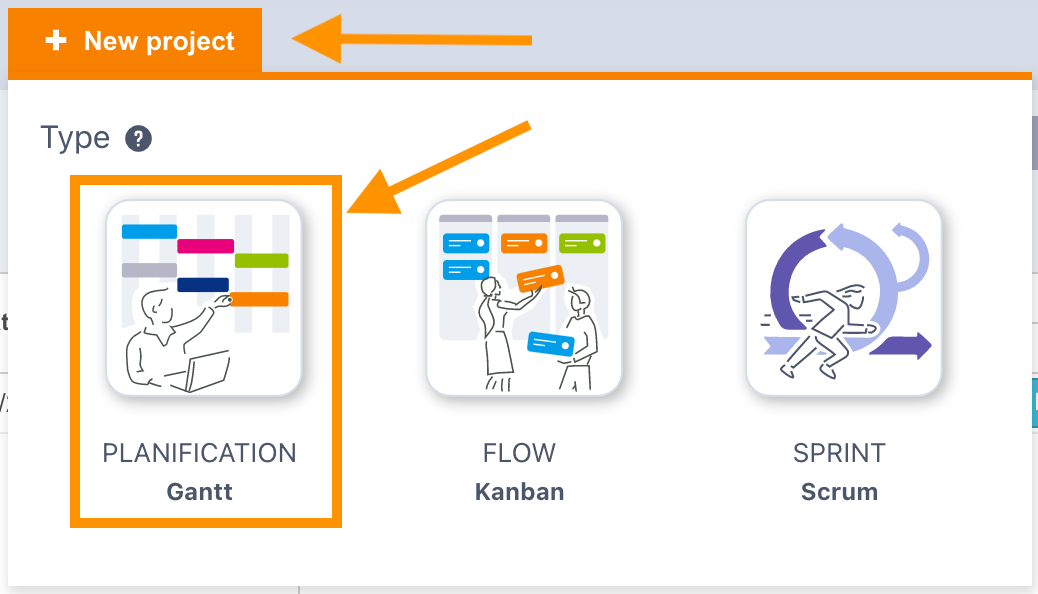
- Navigate to the Project menu and select New project
- Choose a Gantt type project
- Enter the project name and save
- Open the Advanced tab and tick Program
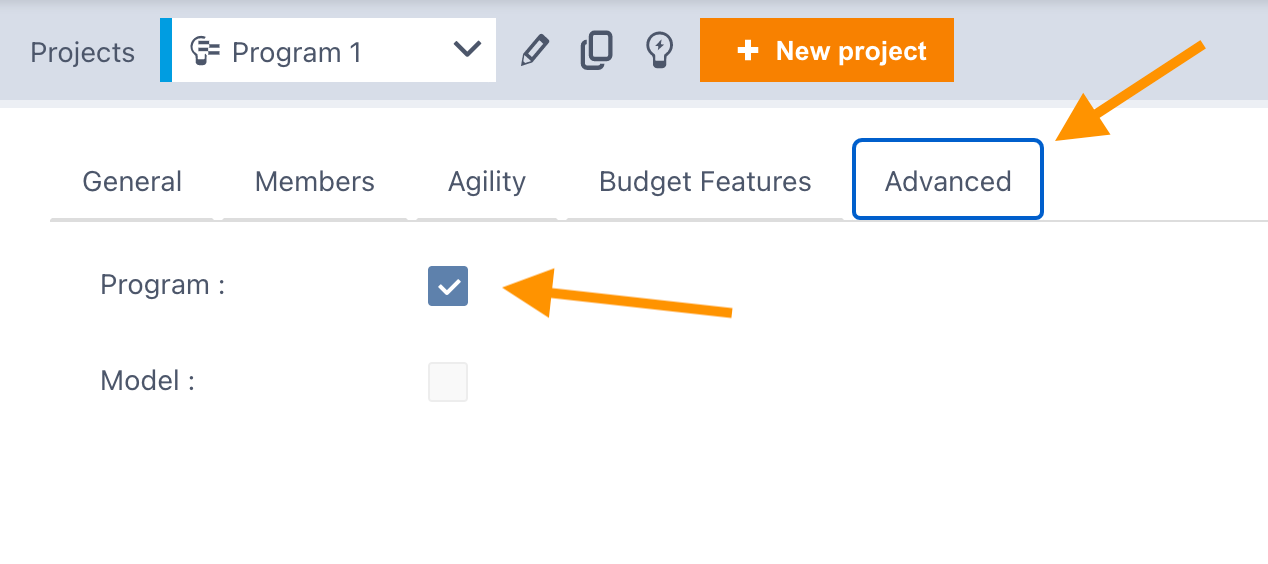
The project then becomes a program: it can host other projects.
Associating projects with a program
You can attach multiple project types (Gantt, Kanban, Scrum) to a program:
- Edit the definition of the project to attach
- Go to the Advanced tab
- Use the Program link field to select your previously created program
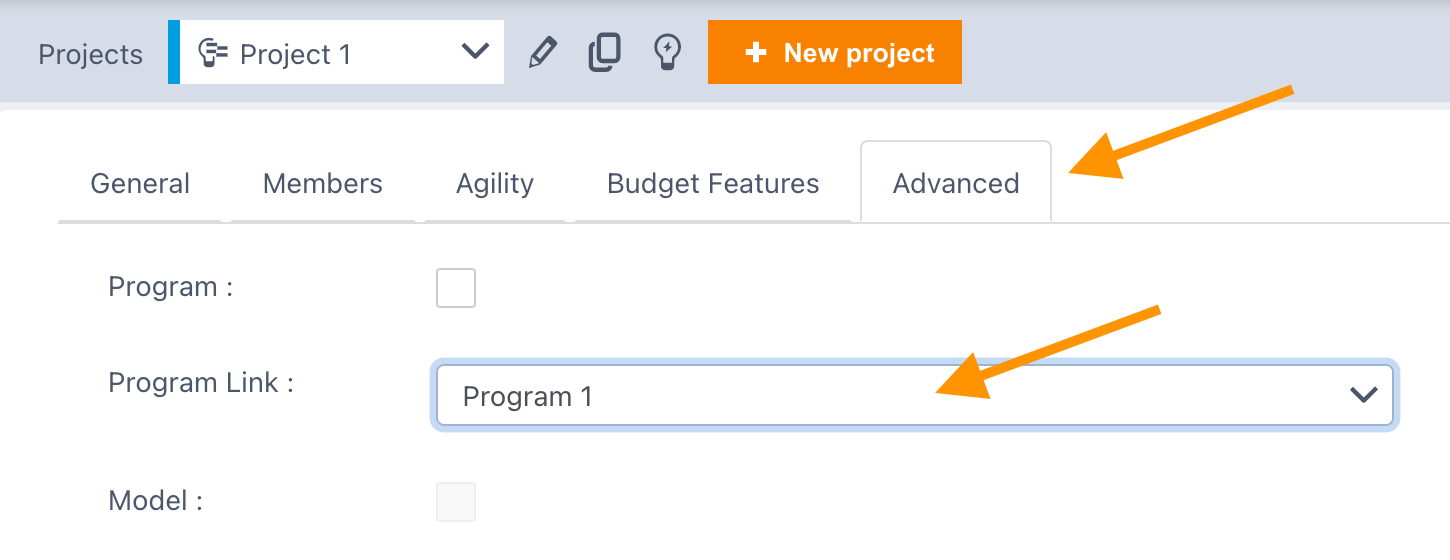
A project can join a program regardless of its type: a Gantt program can steer agile projects.
Creating the program portfolio
To monitor your program, create a portfolio that tracks it automatically:
- Go to the portfolio menu and add a new portfolio
- Enter a name and select the Projects tab
- Choose Dynamic portfolio and filter by Program
- Select your program name to populate the portfolio with the program and all attached projects
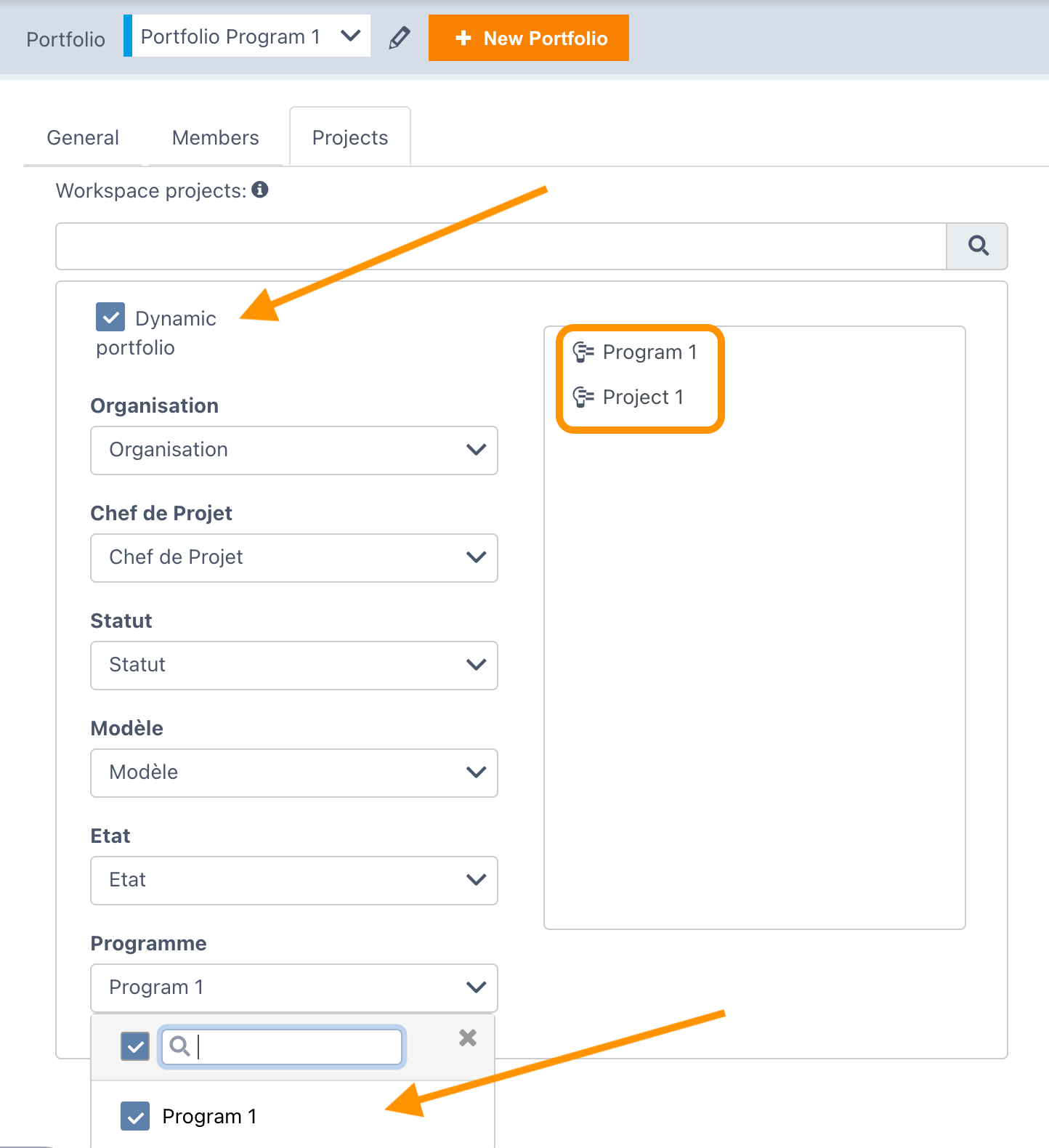
Because the portfolio is dynamic, any new project attached to the program will appear automatically.
Steering the program
The program portfolio gives access to the same consolidated views as a regular portfolio: Global planning, Budget, Weather, Prioritization, risk / decision / change registers, etc. In the Global planning, the program appears highlighted in orange, above its attached projects.
See also
- Project portfolio management — dynamic and static portfolios
- Global planning — view the program and its projects on a consolidated Gantt
Create the program before the projects it groups when possible: you can fill in the Program link right when creating each project, rather than coming back to attach them one by one.