Project portfolio management
What is a portfolio?
A portfolio of projects provides "a comprehensive overview of all the projects a company or organization is working on." It typically encompasses project objectives, scope, budget, and timeline details. This organizational approach enables management teams to prioritize projects based on importance and understand resource allocation across initiatives. Project portfolio management tools facilitate better stakeholder decision-making by offering visibility into resource utilization, project costs, and timelines.
Creating a new portfolio
Access portfolio management through the Portfolio menu and select New portfolio. Enter the portfolio name and save it.

The interface includes three key sections:
- Members tab — Share the portfolio with other users
- Projects tab — Select which projects belong to the portfolio
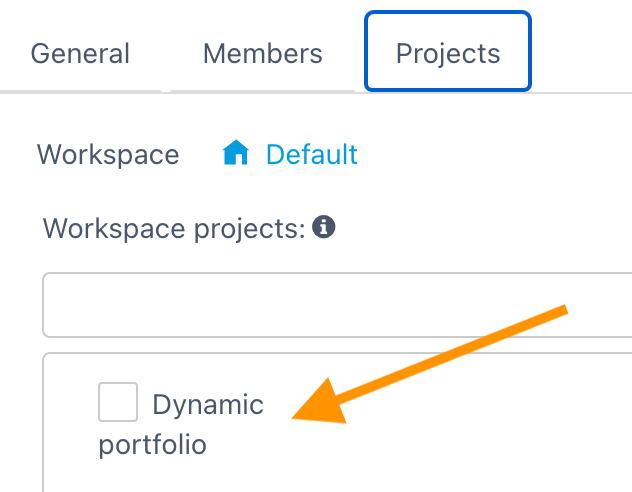
- Dynamic checkbox — Choose between static or dynamic portfolio configurations
Dynamic portfolio
A dynamic portfolio uses filters to automatically include new projects matching the specified criteria, eliminating manual additions.
The "Filter projects" button lets you define those criteria from project attributes, for example:
- the project status,
- the program it is attached to,
- the calendar,
- or any custom field defined in your workspace.
Any project that matches the filter automatically joins the portfolio — including projects created after the portfolio.
Static portfolio
A static portfolio requires explicit project selection. New projects must be manually added after creation. It's the right choice for a fixed scope (a committee, a tender) that you control by hand.
A portfolio's consolidated views
Once the portfolio is created, a side menu gives access to several consolidated views of all the projects:
| View | Use |
|---|---|
| Global planning | Consolidated Gantt of all projects |
| Prioritization | Project arbitration and prioritization |
| Budget | Budget consolidation of the portfolio |
| Task list | All tasks of the projects |
| Weather | Summary of progress indicators |
| Action / Decision / Risk / Change | Consolidated multi-project registers |
| Document / Requirement | Aggregated documents and requirements |
| Timesheet | Time entry and tracking at portfolio scale |
| Analysis | Synthesis, historized planning, historized budget |
| Definition & members | Configuration of the portfolio and its members |
Portfolio ready to use
After saving, the portfolio is operational. Various views — such as Global planning — display synthetic overviews of all projects within the portfolio, enabling comprehensive enterprise-level progress tracking.
See also
- Global planning — the consolidated Gantt of all the portfolio's projects
- Portfolio members — share the portfolio and propagate roles to projects
- Program management — group projects into a program
Prefer a dynamic portfolio filtered on a stable attribute (status, program, entity): it stays up to date on its own as new projects are created, with no manual maintenance.